




Free rental listings: Advertise your property & find tenants fast
Say goodbye to vacant rental properties.
Create a rental listing in minutes and share it across top listing sites with syndication, collect leads, and screen tenants, all in one place.

.webp)

The fastest way to find tenants for your rental property
Maximize your rental listing exposure by syndicating it across the largest listing websites. Easily qualify leads, collect applications, and run tenant screening reports - all for free.
Say goodbye to vacant rental properties.
Landlord Studio users who syndicate their listings get an average of 14+ leads within the first two days of listing their rental.
- Get more high-intent tenant leads with listings and syndication.
- Everything you need in one place. No more tab-switching or managing applications via a spreadsheet. With Landlord Studio everything is in one central location.
- Our Pre-Screening Questionnaires and Comprehensive Screening Reports (powered by Transunion) ensure you make informed decisions and sleep well at night knowing your property is in good hands.

Landlords aren’t just satisfied, they have real business results.
Rated 4.9 Stars from 600+ customer reviews.
See all reviews
Federico F
"I have chosen a Landlord Studio after going through several tools online. It's also reasonably priced which I like."

Damian L
"Landlord Studio makes property management effortless – tracks rent, expenses & tenant comms. Great for 1 or many properties, my accountant loves it too.”

Katie T
"We were looking for an app to help us stay on top of everything, including the maintenance and everything in between. Landlord Studio has been great for that."

Rinda I
"I found Landlord Studio so much easier to understand after I looked at AppFolio, RentRedi, and Buildium. All three of them were so hard to understand."
Eliminate the chaos of manual listing management
Say goodbye to messy spreadsheets and disorganized files. Landlord Studio brings everything together, from listings, to tenancy records and rent tracking to document storage.
.webp)
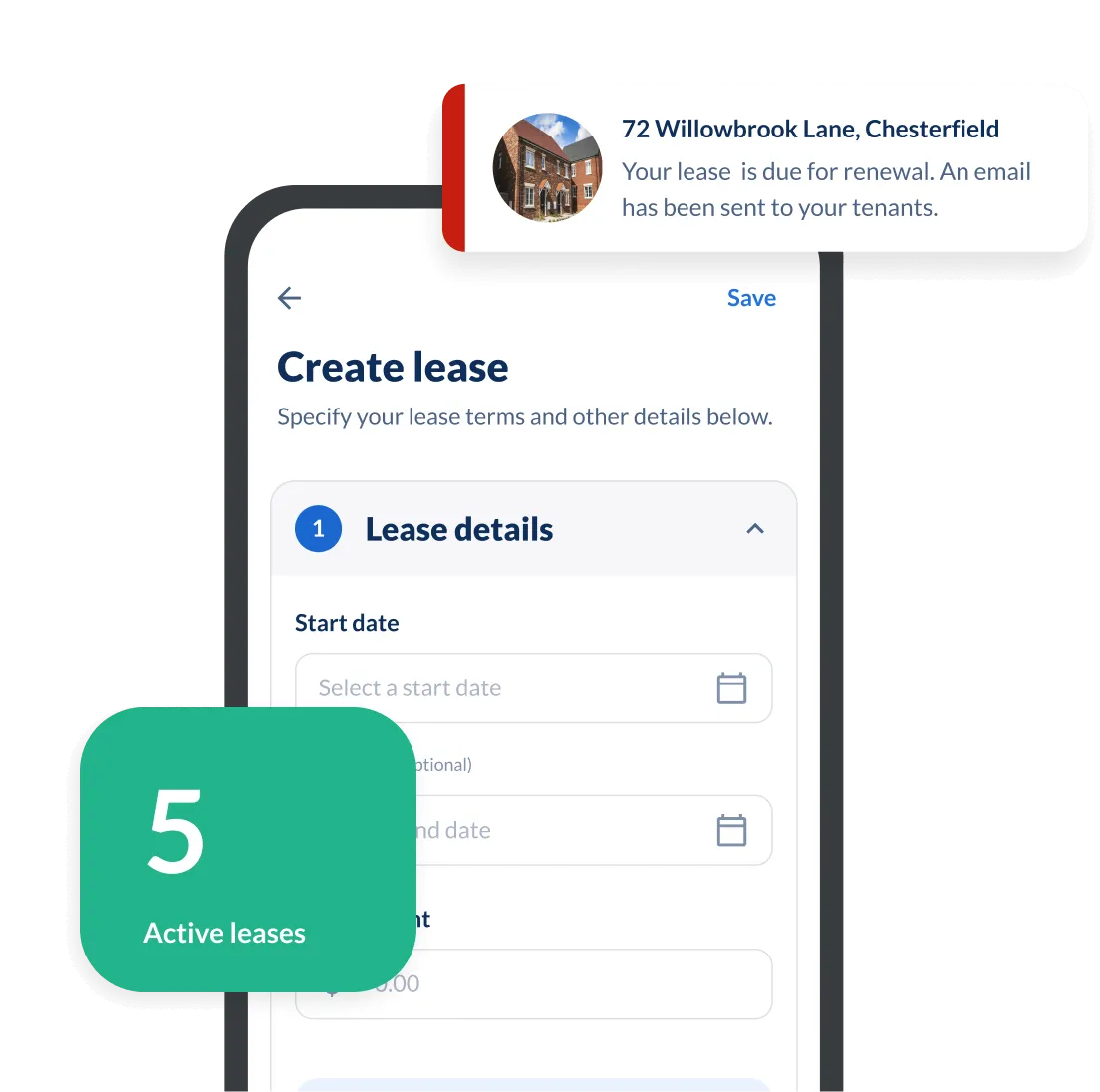


Find and Pre-screen Tenants

Set Up and Manage Tenancies with Ease

Organize Tenant Info and Communication

Automate your Rent Collection
Why USA Landlords Trust Landlord Studio for Finding Tenants
The smarter way to manage your properties.
- End-to-end tenancy management with built-in listing syndication and screening tools.
- Fast setup and intuitive, time-saving features
- Secure, cloud-based access from any device
- Designed to streamline rental workflows and reduce admin




“Never used software before and was worried, but Landlord Studio has been brilliant. Easy to add properties, simple to use — even my accountant loves it.”

"Managing 20 rentals alone was overwhelming, but Landlord Studio became my one-stop shop. It simplified bookkeeping, rent, leases, and taxes — even my CPA loves it."
"Landlord Studio makes property management effortless – tracks rent, expenses & tenant comms. Great for 1 or many properties, my accountant loves it too.”
"We were looking for an app to help us stay on top of everything, including the maintenance and everything in between. Landlord Studio has been great for that."
"I found Landlord Studio so much easier to understand after I looked at AppFolio, RentRedi, and Buildium. All three of them were so hard to understand."

"It has been an excellent way of tracking expenses all in one app. I had considered using AppFolio, but that was too complicated for me."

“I looked at Doorloop, RentRedi, and Appfolio and they all offer the same features, but the customer support was the absolute best on Landlord Studio.”
"I have chosen a Landlord Studio after going through several tools online. It's also reasonably priced which I like."

"The ability to reconcile bank feeds and attach a receipt against a list of suppliers is a great feature."

"I can't highly recommend it more if you have a rental property. It exceeded my expectations."

"I've been a user for about three years now. I recommend Landlord Studio for anyone looking to optimize their business."

"I struggled with having a spreadsheet for each property. Using Landlord Studio I can record income/expense and then within seconds produce a spreadsheet that I can send to my accountant"

"I chose Landlord Studio because it created a complete package for management of rental properties for the landlord"

"I realized that QuickBooks wasn't quite sufficient and I started to look around for an affordable tool to replace my spreadsheets and chose Landlord Studio."

"We chose Landlord Studio because it was simple to use for keeping our rent receipts and tax records. We found it was brilliant."

"We looked at all the different software that's out there for managing our properties. We chose Landlord Studio over RentRedi and it's been a great investment."

"One of the things that I like about the software is that the customer service is fantastic and I felt the price was reasonable considering I only have one property."

"I considered Landlordy and a couple of others. I used Landlord Studio for a year with three properties and I loved it, so I had to get the membership."

"We couldn't live as freely and easily without Landlord Studio. All my tenants are quite happy they get their notifications from Landlord Studio. It's dead easy."

"I have a mix of properties, so I like how you can manage Airbnb and short-term rentals. Another great feature is reconciling from your bank account, which includes checking accounts and credit cards."

"Landlord Studio helps me manage my rentals effectively and efficiently. It's a great app and definitely worth the low cost."

"I tested out several other programs before purchasing Landlord Studio and I'm very happy with it so far. One of my favorite features is the ability to just snap a picture of a receipt and put it in the correct rental unit expense."

"I've got six properties and have looked around for a decent software for ages. What I really like about Landlord Studio is that it integrates with Xero. I've been using it for a few months and I'm really happy with it."

"I chose Landlord Studio because of the user-friendliness of the interface. It's a bit like Apple in that it's easy to use. You can figure it out without instructions or spending ages learning."

“My dad’s 75 and has over 20 units – Airbnbs, apartments and commercial. We needed a software to help us and Landlord Studio’s been the one. It’s made it so easy for him.”

“It’s a no-brainer. It’ll make your life so much easier. You can find out everything you need to know about your portfolio in a few quick taps.”

“With Landlord Studio I can track income and expenses and manage my properties if I’m at home, on my lunch break at work, in the car. There are so many things you can do with it.”

“It’s so much easier. Put it all in there, take a picture of your receipt and you’re done!”

“It’s excellent for any landlord with one property up to multiple. I highly recommend testing it out and seeing if it’s the right solution for you and your business – it has been for me.”

“I love having all the units accessible at my fingertips. And would highly recommend it to anybody who’s looking to get onboard with bank to bank transfers for rent payments and wanting to create customizable reports. I love it.”

“If you want an all in one solution this app is what you need. With this app you can get rid of paper and spreadsheets.”

“Give it a shot! That’s what I did. This app really organized how I manage my business made everything more efficient.”

“I was looking for a software that I was able to screen tenants on, collect rent through, track all of my income and expenses for each unit. And Landlord Studio fit the bill there. I’ve been using it for a few months and love it. The customer support is just unrivaled.”

“The mobile app is incredible, and when it comes to tax time, clicking a few buttons and sharing with our tax advisor has been a dream. Thanks Landlord Studio!”
Related Resources
.jpg)
.jpg)

FAQs
How do I create a rental listing with Landlord Studio?

Start by creating your free account and adding your property details. Once that's done, navigate to the rental listings tab in the left-hand menu and click on '+ New listing'.
Our AI listings generator will automatically write the description and populate the relevant fields for you. All you need to do is upload your photos, check the details are correct and hit publish.
Your listing will be reviewed by our security team and published live within 24 hours.
Here’s the complete flow for creating your property listing with Landlord Studio. Learn how to do this here.
Where can I list my rental property for free?
You can list your rental property for free on Landlord Studio and automatically syndicate it to major rental listing sites including Zumper, Zillow, Trulia, and HotPads. This ensures your property gets maximum visibility without the hassle or cost of creating and managing multiple listings on different platforms.
How do I find tenants quickly?
To attract tenants fast you'll want to use a rental listings software like Landlord Studio. With Landlord Studio you can:
- Create a professional rental listing with high-quality photos, a compelling headline, and a clear property description.
- Distribute the listing widely — Landlord Studio lets you publish to multiple sites in one click.
- Prescreen and qualify tenants quickly — Our built-in application and screening tools help you instantly assess tenant suitability.
With this streamlined approach, many landlords secure qualified tenants within days.
Does Landlord Studio include tenant screening?
Yes. Landlord Studio integrates with TransUnion SmartMove to deliver full tenant screening reports that include.
- Credit score and payment history
- Criminal background check
- Eviction history
- Income insights
You can choose to pay for the report yourself or have the tenant cover the cost during the application process.
How do I run a tenant screening report with Landlord Studio?
Running a tenant screening report with Landlord Studio is simple. Log in to the app and navigate to the Applications and Screenings tab in the left-hand menu.
Then, click on '+ New Screening'. Select the property its for, enter the tenants name and email address, and submit. It's that simple!
Once initiated, the tenant will receive an email notification asking them to authorize and complete the tenant screening report. Once done, the report will be available in Landlord Studio in minutes.
Here’s the complete flow for running a tenant screening report using Landlord Studio.
How much does it cost to list a rental property with Landlord Studio?
Creating your rental listing on Landlord Studio is completely free!
You can optionally upgrade to a Pro subscription (starting $12 per month) to get Premium Listings which extends the visibility of your listing even further.
What do I need to create my rental listing?
To create your listing with Landlord Studio you will need photos, lease details (such as lease start date, rent amount and deposit), and your property details (such as the number of bedrooms, property size, and amenities).
Our AI listing generator will automatically create your listing headline and description for you, which can easily be edited before publishing.
How do I manage rental applications with Landlord Studio?
When a tenant applies via your Landlord Studio listing, their application appears in your dashboard. You can:
- Run screening reports at the same time as applications
- Review all applications in one place
- Compare tenant profiles side by side
You can then send acceptance or rejection notices from inside the app, (including templated adverse action letters to meet legal requirements).
You can review the full rental applications flow here.
Still have questions?
Can’t find the answer your looking for? Please contact our friendly team or check out our blog here.

Rental accounting
Track income and expenses, gain financial insights with our financial reports, and make tax time a breeze.

Tax Reporting
Get fast financial insights with Landlord Studio's powerful reporting including a schedule e report, profit and loss statement, and rent ledger.

Online Rent Collection
Collect rent online, automate income tracking, and never worry about late rent again with secure online rent payments made direct to your bank account.
Property Maintenance
Manage your rental property maintenance with ease using Landlord Studio property maintenance management software.

E-Sign Leases Online
Send and sign leases online with secure e-signatures. Save time, stay compliant, and manage tenancy documents in one place.