



HMRC-recognised MTD software for landlords
Keep the digital records HMRC requires, send your quarterly updates to HMRC from the same place, and start on a free plan.



Everything a Landlord needs for MTD, in one app
Your bank feeds and receipts build one set of records, which covers your quarterly updates, your final declaration and the rest of your rental admin.
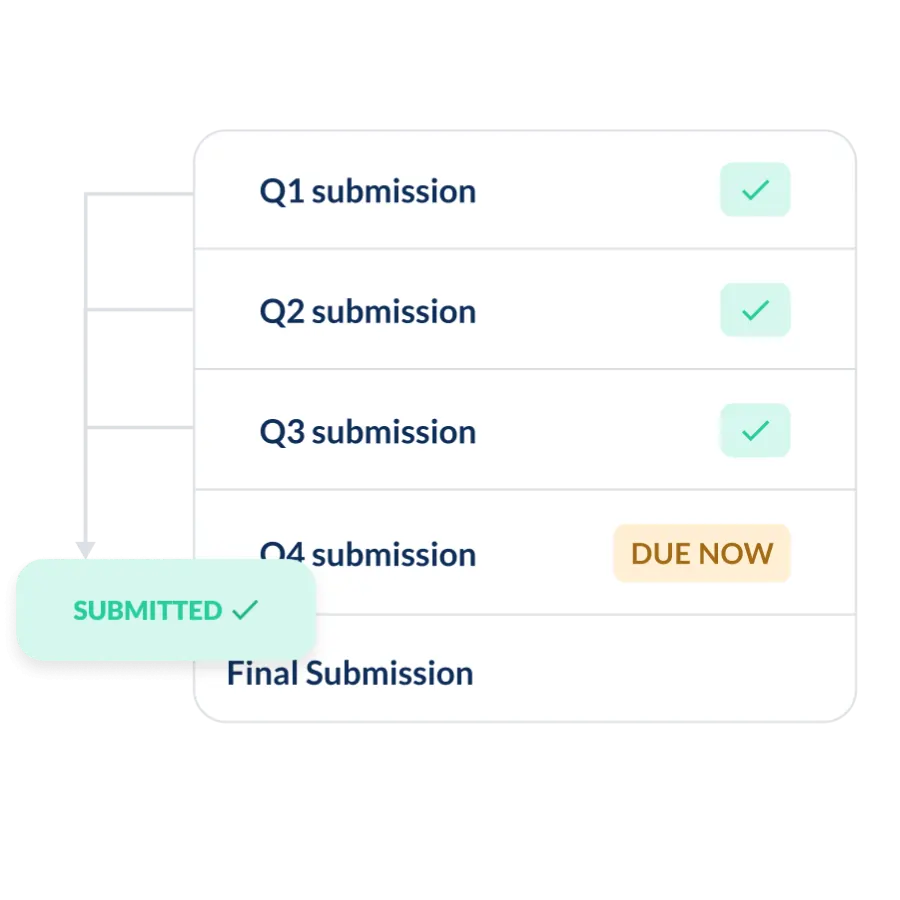
Submit MTD directly to HMRC
Submit directly to HMRC from inside Landlord Studio, with no exports and no third-party tools.
- Quarterly updates made simple - send each required update using your recorded income and expenses
- No duplicate data entry - use the same digital records you maintain throughout the year
- Ready for your final declaration - keep your records organised for your end-of-year submission
Connect your real-time bank feeds
Connect your bank account and let your records build themselves.
- Transactions imported automatically - via secure Open Banking connections
- Reconcile in one click - match payments to the right property and category
- Always MTD-ready - digital records maintained as you go, not rebuilt each quarter

Handle every type of ownership structure
Co-own your properties? No problem.
- Joint ownership, partnerships, and limited companies - all supported
- Separate MTD submissions per owner - managed under a single Landlord Studio account
- Income split correctly - each owner's share tracked and reported accurately

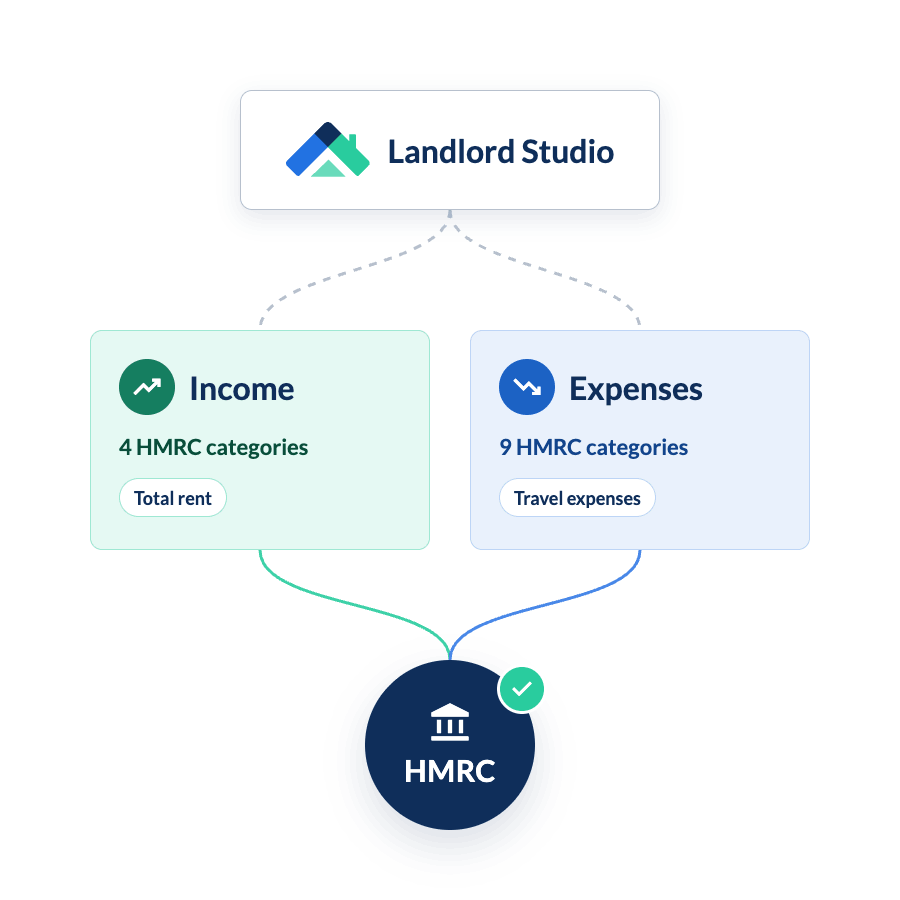
HMRC categories built in
Your income and expenses are sorted into HMRC's property categories for you.
- Matched to HMRC - your categories line up with the property income and expense categories HMRC uses
- Sorted as you go - bank transactions and receipts scanned with Smart Scan land in the right category when you reconcile
- No accounting knowledge needed - simple enough to handle MTD without an accountant
Property management beyond Making Tax Digital
Landlord Studio also handles the rest of your rental admin too.
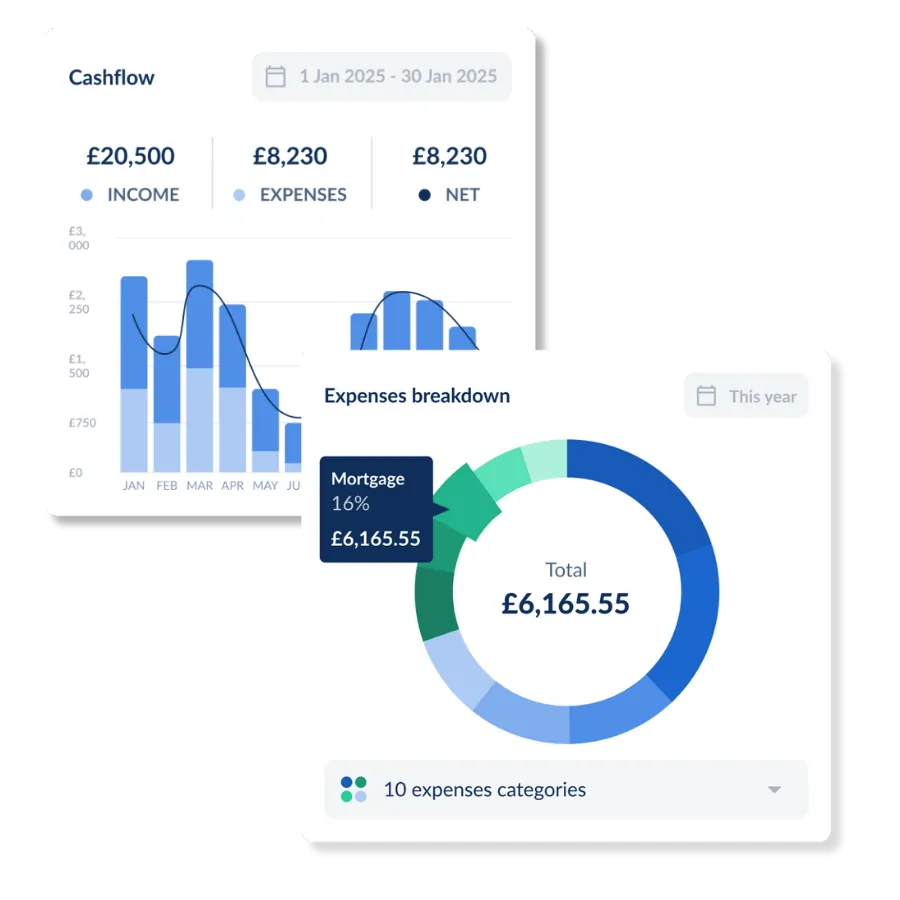
- Rental accounting - track cashflow and see where your money goes, broken down by expense category
- Tenancies – keep tenant details and tenancy documents with each property
- Maintenance – log and track repairs against the right property
- Compliance – keep on top of key dates for each property
Got MTD Questions? Start here
When do you need to comply? What counts as a digital record? What happens if you miss a quarterly update? Our MTD Resource Hub answers all of it.
How does Landlord Studio send quarterly updates to HMRC?
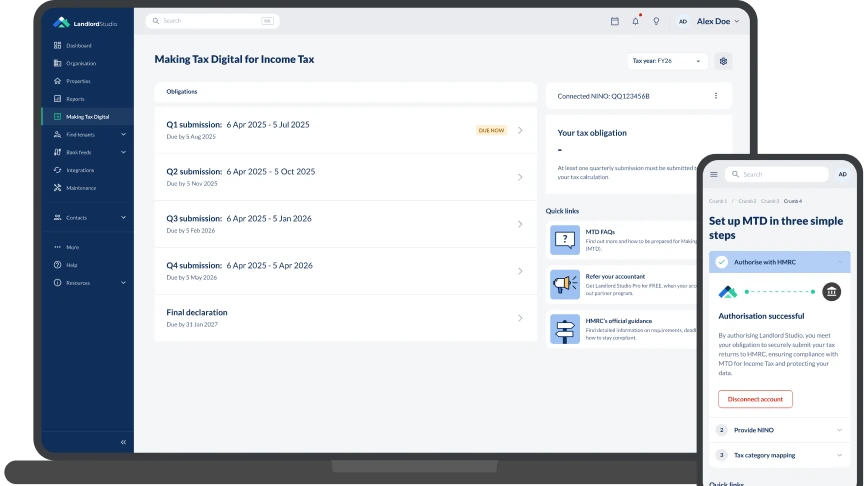
Landlord Studio builds the quarterly update from the records you already keep in it and sends it to HMRC from the app.
Step 1: Connect your accounts
Link your bank via Open Banking and connect Landlord Studio to HMRC. It only takes a few minutes, and you only have to do it once.
- Set up your properties - add your rentals so every transaction lands in the right place
- Secure Open Banking connection - bank feed transactions are read-only and your credentials are never shared
- Authorise HMRC once - link your Landlord Studio account to HMRC for MTD submissions

Step 2: Import your existing records
Starting with a deadline already looming? Import your existing records in minutes.
- Bank feeds pull historic transactions - import up to two years of history when you first connect
- Bring your spreadsheet with you - upload existing income and expense records with spreadsheet import
- Bulk-reconcile in one session - categorise a quarter's transactions in an afternoon, not a week
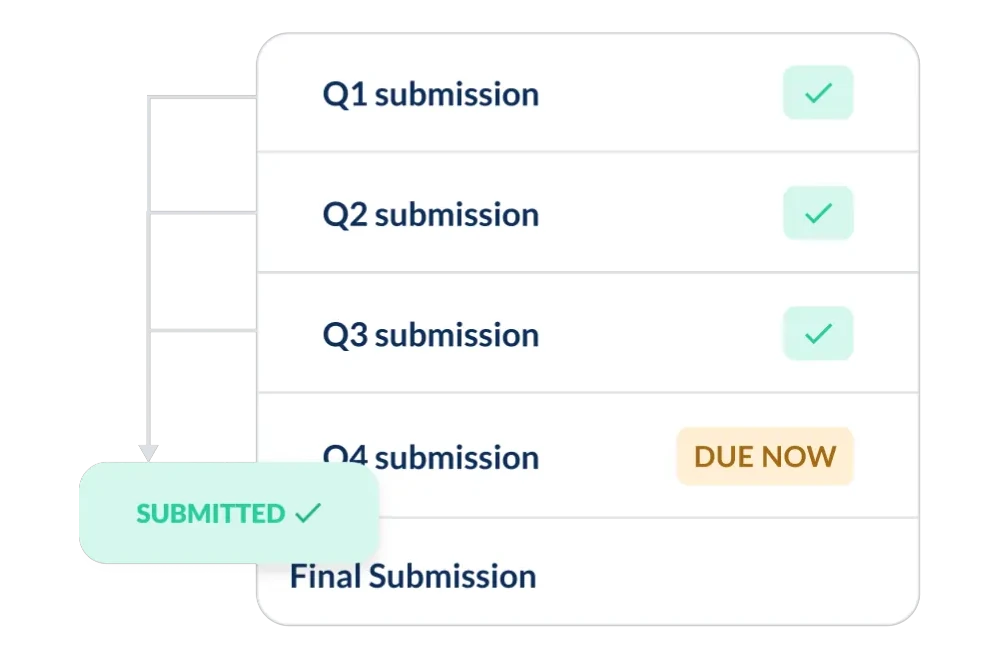
Step 3: Review and submit to HMRC
When the deadline comes round, check your quarterly summary and send it in a few clicks.
- Deadline reminders – see your next deadline and get a reminder before it
- Check before you send – review the quarter’s income and expenses first
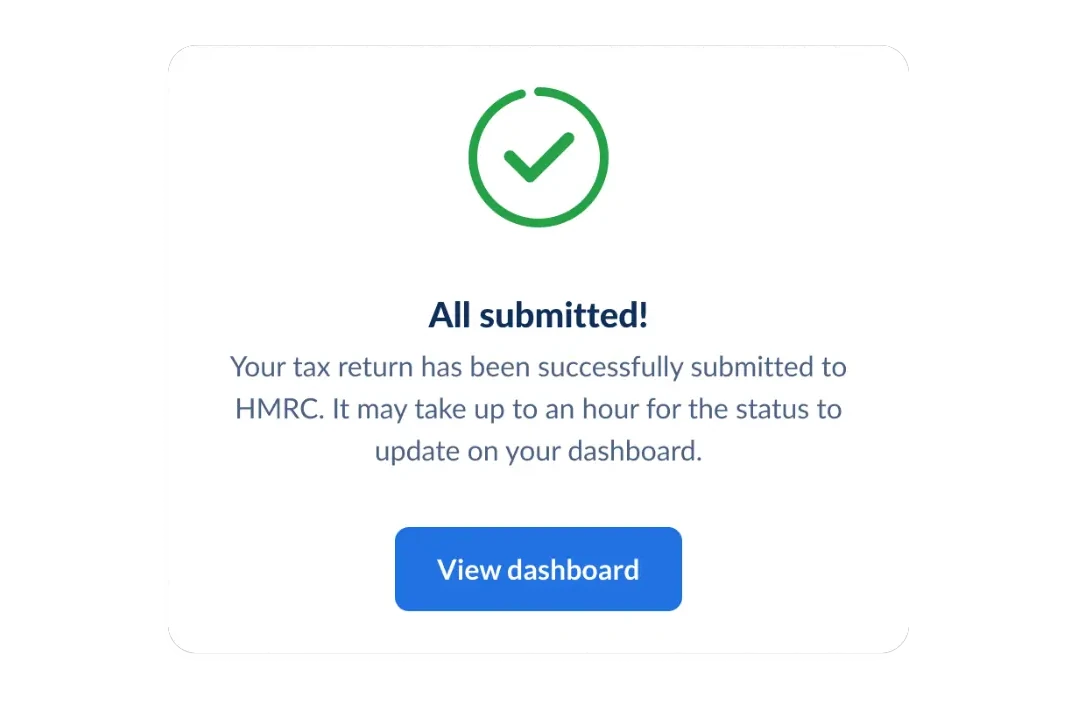
- Submit in the app – your quarterly update goes straight to HMRC, with no exports
- Final declaration too – at year end, review and submit your final declaration from the same account
Why UK landlords use Landlord Studio for MTD
Stay compliant, organised, and ready for anything, whether you manage your properties solo or with a letting agent.
- Maintain digital records with software designed for you
- Direct HMRC integration for streamlined MTD submissions
- HMRC-recognised software
- Share access with your accountant or letting agent for seamless collaboration




“Never used software before and was worried, but Landlord Studio has been brilliant. Easy to add properties, simple to use — even my accountant loves it.”

"We were looking for an app to help us stay on top of everything, including the maintenance and everything in between. Landlord Studio has been great for that."

"I have chosen a Landlord Studio after going through several tools online. It's also reasonably priced which I like."

"The ability to reconcile bank feeds and attach a receipt against a list of suppliers is a great feature."

"I struggled with having a spreadsheet for each property. Using Landlord Studio I can record income/expense and then within seconds produce a spreadsheet that I can send to my accountant"

"We couldn't live as freely and easily without Landlord Studio. All my tenants are quite happy they get their notifications from Landlord Studio. It's dead easy."

"I chose Landlord Studio because of the user-friendliness of the interface. It's a bit like Apple in that it's easy to use. You can figure it out without instructions or spending ages learning."
“Never used software before and was worried, but Landlord Studio has been brilliant. Easy to add properties, simple to use — even my accountant loves it.”
"We were looking for an app to help us stay on top of everything, including the maintenance and everything in between. Landlord Studio has been great for that."
"I have chosen a Landlord Studio after going through several tools online. It's also reasonably priced which I like."
"The ability to reconcile bank feeds and attach a receipt against a list of suppliers is a great feature."
"I struggled with having a spreadsheet for each property. Using Landlord Studio I can record income/expense and then within seconds produce a spreadsheet that I can send to my accountant"
"We couldn't live as freely and easily without Landlord Studio. All my tenants are quite happy they get their notifications from Landlord Studio. It's dead easy."
"I chose Landlord Studio because of the user-friendliness of the interface. It's a bit like Apple in that it's easy to use. You can figure it out without instructions or spending ages learning."
“Never used software before and was worried, but Landlord Studio has been brilliant. Easy to add properties, simple to use — even my accountant loves it.”
"We were looking for an app to help us stay on top of everything, including the maintenance and everything in between. Landlord Studio has been great for that."
"I have chosen a Landlord Studio after going through several tools online. It's also reasonably priced which I like."
"The ability to reconcile bank feeds and attach a receipt against a list of suppliers is a great feature."
"I struggled with having a spreadsheet for each property. Using Landlord Studio I can record income/expense and then within seconds produce a spreadsheet that I can send to my accountant"
"We couldn't live as freely and easily without Landlord Studio. All my tenants are quite happy they get their notifications from Landlord Studio. It's dead easy."
"I chose Landlord Studio because of the user-friendliness of the interface. It's a bit like Apple in that it's easy to use. You can figure it out without instructions or spending ages learning."
FAQs
Who needs MTD software, and from when?

Landlords whose qualifying income is over the threshold must keep digital records and send quarterly updates through recognised software. Qualifying income is gross income from property and self-employment, before expenses.
• Over £50,000: from 6 April 2026 (live now)
• Over £30,000: from 6 April 2027
• Over £20,000: from 6 April 2028
What are the 2026/27 MTD deadlines for landlords?
Each update is due on the 7th of the month after its quarter ends.
• Q1 (6 Apr – 5 Jul 2026): due 7 August 2026
• Q2 (6 Jul – 5 Oct 2026): due 7 November 2026
• Q3 (6 Oct 2026 – 5 Jan 2027): due 7 February 2027
• Q4 (6 Jan – 5 Apr 2027): due 7 May 2027
• Final declaration: due 31 January 2028
What happens if I miss a quarterly update?
Can I keep using spreadsheets for MTD?
Not on their own. A spreadsheet has no digital link to HMRC, so you need one of two routes:
• Bridging software that submits figures from your spreadsheet
• MTD software that holds the records itself, like Landlord Studio
In Landlord Studio, bank feeds and receipt capture build your records, and the same records produce your quarterly update. You can import past records from a spreadsheet as a CSV.
Is Landlord Studio HMRC-recognised?
Yes. HMRC recognises software that has passed its tests for connecting to the MTD service, and lists recognised products on its software finder. Landlord Studio is recognised for Making Tax Digital for Income Tax.
Is there free MTD software for landlords?
Yes. Landlord Studio's MTD Go plan is free for up to three properties (units).
• MTD Go: £0 a month, £5 per MTD submission. For one to three units.
• Pro: £12 + VAT a month on an annual plan (£15 monthly). Submissions included.
• Pro Plus: £30 + VAT a month. Submissions included. For portfolios and teams.
Pro and Pro Plus include 3 units, then £1.20 + VAT per unit. New accounts start on a 14-day Pro trial.
How does Landlord Studio compare with other MTD software for landlords?
All six tools below are HMRC-recognised, send quarterly updates and have bank feeds. Only Landlord Studio and Hammock are built for landlords.
• Landlord Studio: free plan (£5 per submission), Pro £12 + VAT a month. Includes property management.
• Hammock: from £8 + VAT a month after a 30-day trial. Limited property management.
• Xero: from £18 + VAT a month. No free plan.
• FreeAgent: £10 a month, or free with a NatWest, RBS, Ulster Bank or Mettle business account.
• Sage: free plan. Receipt capture needs the £7 + VAT a month plan.
• Clear Books: free plan. Receipt capture needs the £5 a month plan.
Prices from each vendor's UK pricing page on 30 September 2026.
Does it handle jointly owned property?
Does it work for holiday lets?
Yes. Since April 2025 furnished holiday let income is treated as ordinary property income, so it counts towards your qualifying income and is reported in the same quarterly updates. Landlord Studio records holiday let income and expenses like any other property.
Can my accountant use it?
Yes. You can:
• Share access with your accountant
• Export reports as CSV or PDF
• Connect to Xero on Pro, so your accountant works in the tool they already use
Accountants with landlord clients can also join the Landlord Studio accountant partner programme.